Launch price $17 · regular price $27

For Etsy and KDP planner sellers

Your own hyperlinked planners and KDP interiors — from one design

Pick a niche pack, set the dates, edit on a live canvas. Every tab and date becomes a working link.

Get PlanPress Studio — $17 · checkout opens at launch

One-time payment · 30-day money-back guarantee · Seller license for the planners you make
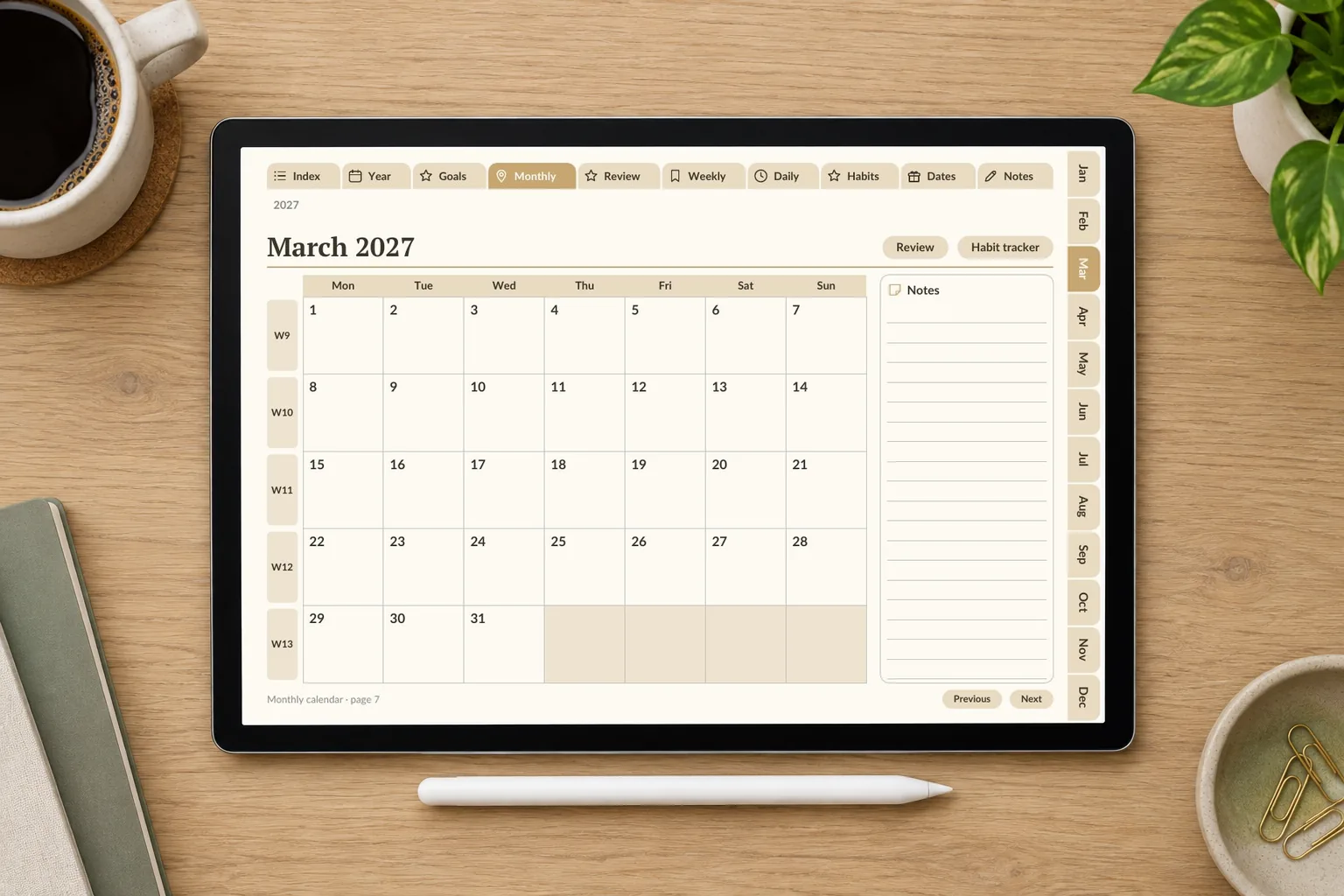
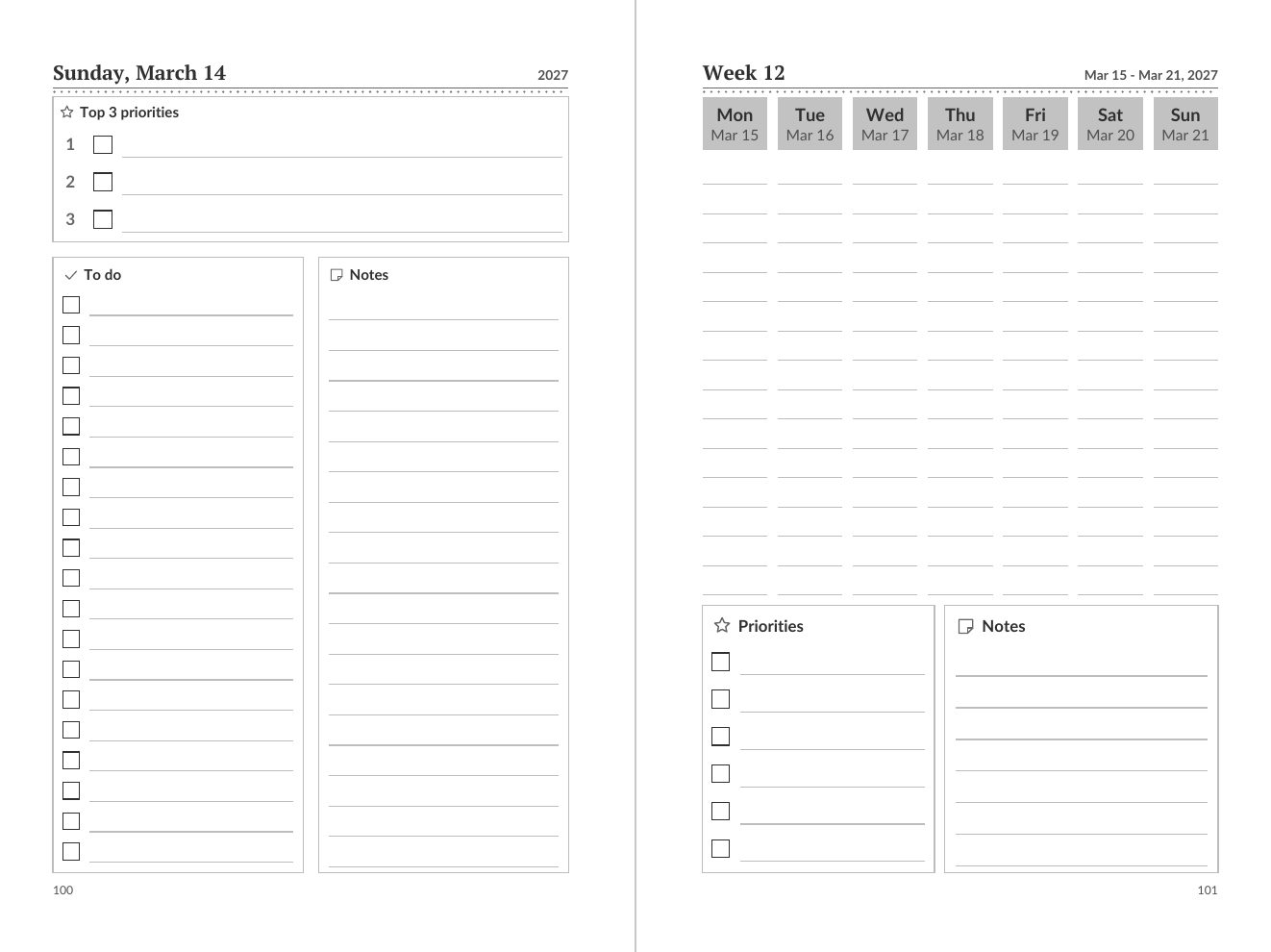
A generated March 2027 planner page shown on a tablet

Why most planner shops stall

The linking

A dated planner links every tab, month, week and day to each other. Our 2027 General sample alone has 26,680 links. Placed by hand, one wrong target is a one-star review.

Two rebuilds

A tablet planner and a printed paperback need different page sizes, margins and no links in print. Most templates make you build the second one from scratch.

Someone else's design

Template bundles are the same files other sellers list. Marketplaces expect the digital items you sell to be your own design — so the work has to start with your choices.

Why we built it

We measured what a sellable hyperlinked planner takes. Our own 2027 General sample: 471 pages and 26,680 links, every one pointing at a real page. Nobody should place those by hand.

So we wrote an engine that places them for you from a short description of the planner you want — and an independent PDF checker that opens the file the way a reader does and confirms that every link lands on a page of the same file. On that sample it counts 0 dead links.

The mechanism

OneSpec Engine: One spec → digital hyperlinked planner + KDP-ready interior, edited on a live canvas

Your planner is one spec: dates, sections, niche pack, colours, fonts and your edits. The engine reads it twice.

  • Digital: side tabs, calendars and breadcrumbs, each a link to the right page, in Tablet landscape (10.83 × 7.5 in), Tablet portrait (7.5 × 10.83 in), Widescreen 16:9 (13.33 × 7.5 in).
  • KDP interior: the same pages on a 5.5 × 8.5, 6 × 9, 7 × 10, 8 × 10, 8.5 × 11 in trim, inside margin sized to the page count, no links, black & white or colour.
  • Live canvas: change a block on every weekly page at once or on one page only; add text, shapes, stickers, widgets and your own images anywhere except the strips that hold links.

Switch a finished planner from digital to KDP print interior and generate again — no second design.

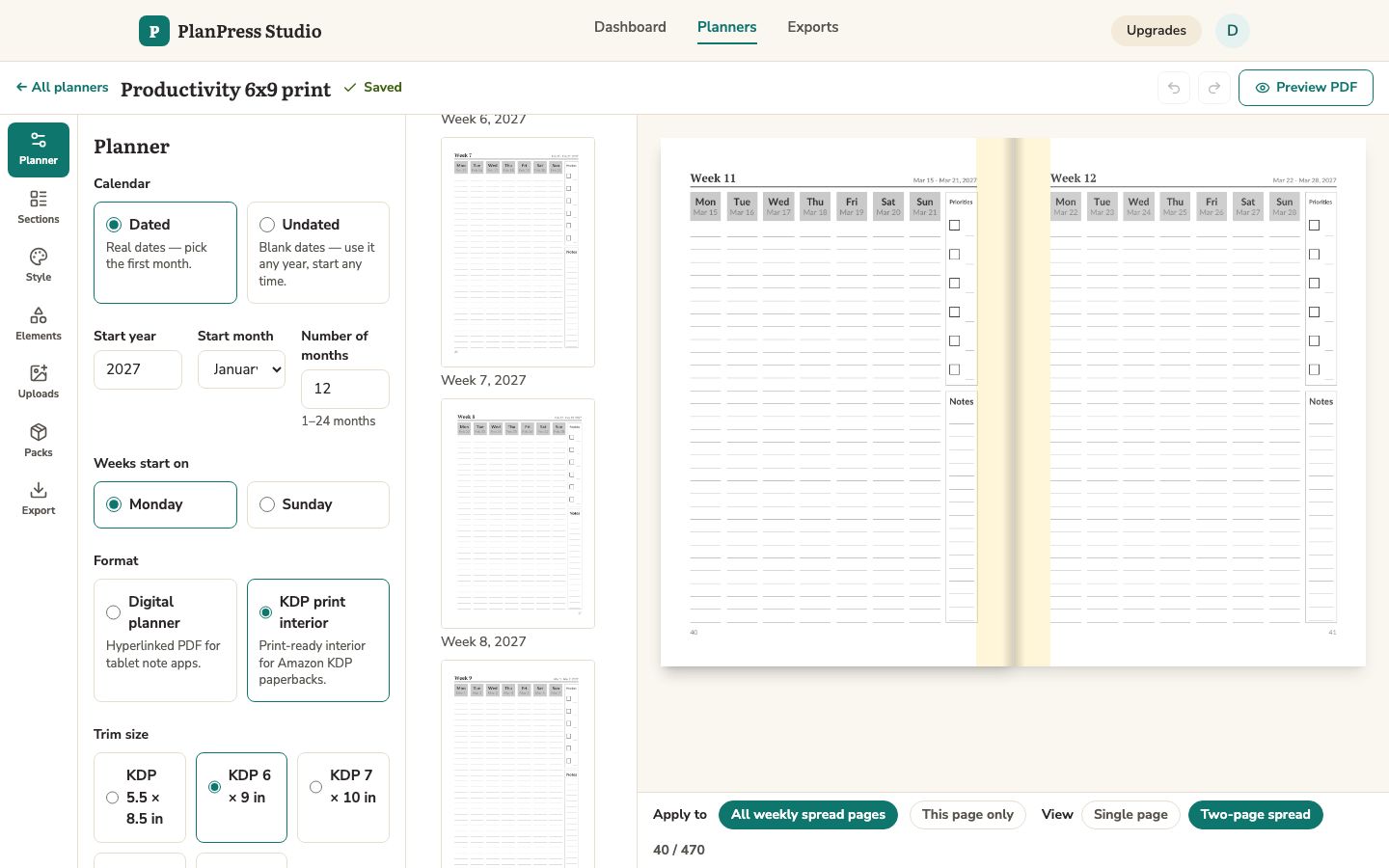
Two facing pages of the 6 x 9 in black-and-white KDP interior built from the same spec
Two facing pages of the 6 × 9 in interior from the same spec as a digital planner (484 pages, passes our KDP preflight)

Proof, not promises

471pages in our 2027 General sample
26,680internal links (56.65 per page)
0dead links found by the independent checker
484pages in the matching 6 × 9 in KDP interior — preflight passed

Measured by scripts/check-pdf.php and scripts/kdp-preflight.php on files generated with the default General and Productivity packs; your page count depends on the sections and months you choose.

1,000+ Etsy results for “hyperlinked digital planner”
Public Etsy search, 4 Oct 2026, logged out. Etsy caps the count and includes ads. Other sellers’ listings — shown for context, not a promise of yours.

Made with PlanPress Studio

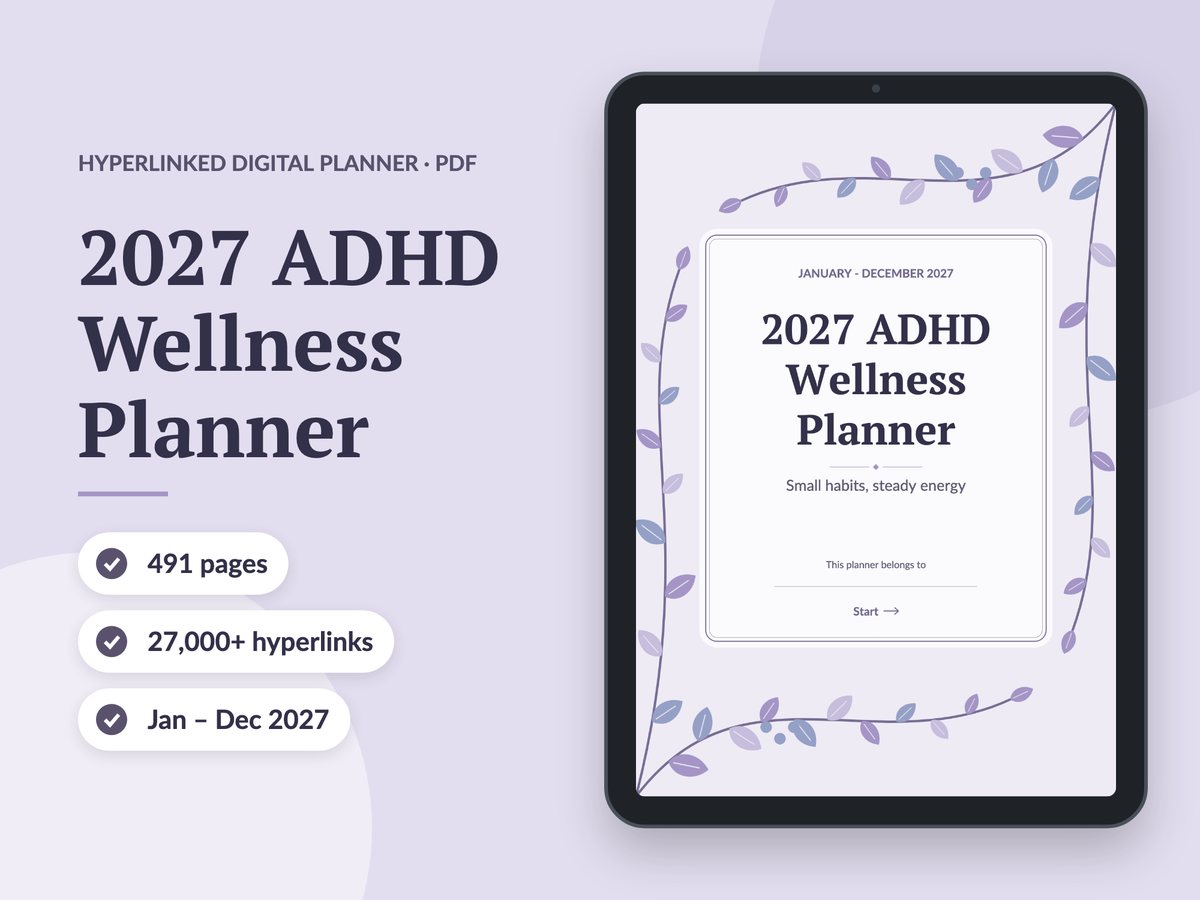
Listing feature image drawn by the app’s Etsy listing kit: an ADHD Wellness Planner cover on a tablet, with page count, link count and date range badges
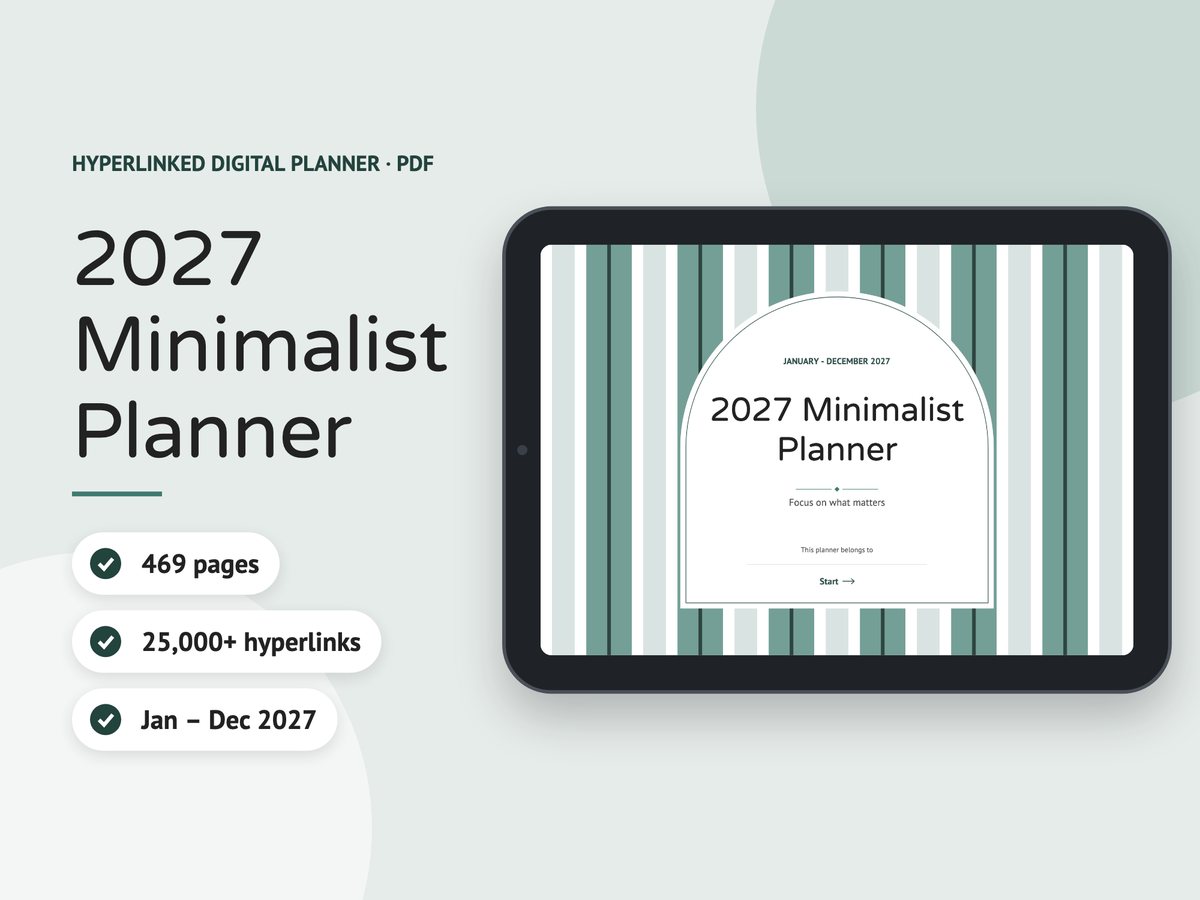
Listing feature image drawn by the app’s Etsy listing kit: a Minimalist Planner cover on a landscape tablet, with page count, link count and date range badges
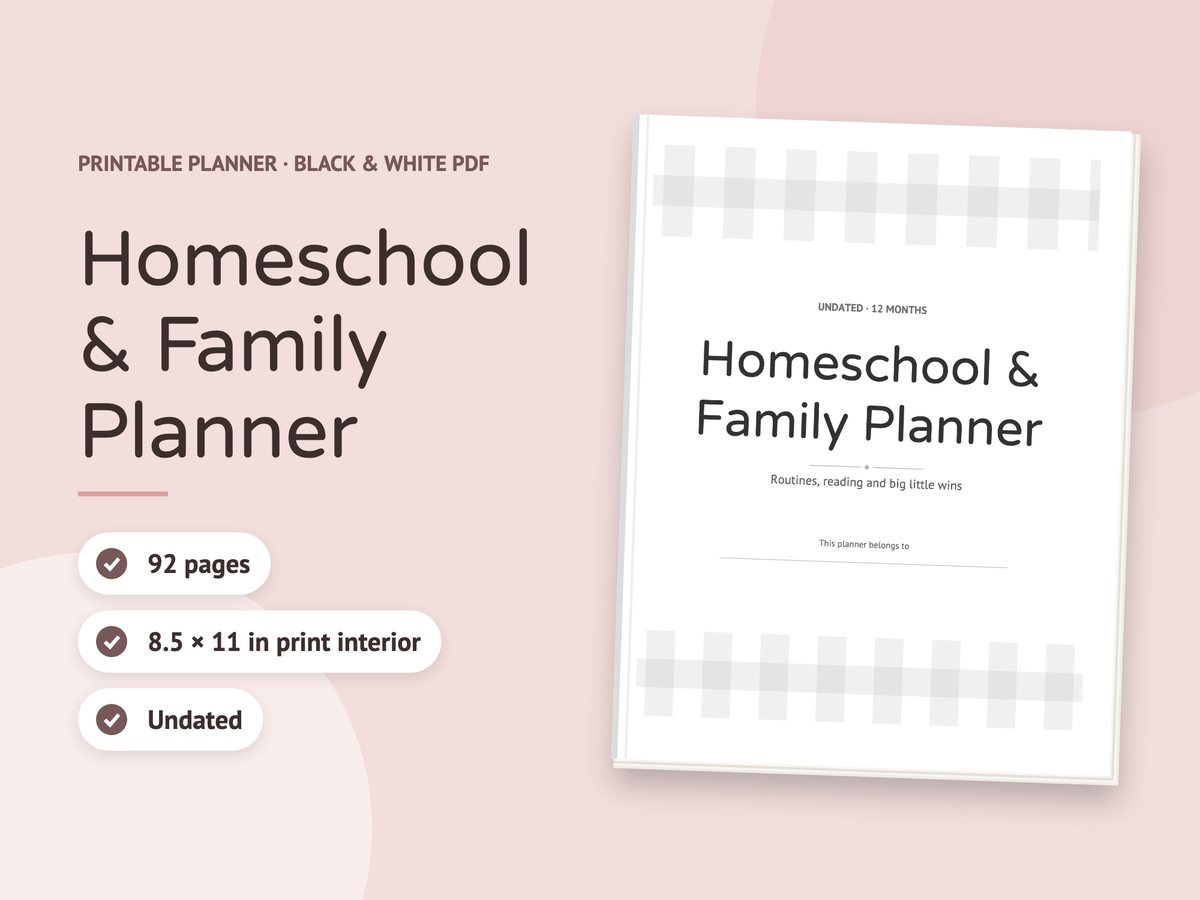
Listing feature image drawn by the app’s Etsy listing kit: a black and white Homeschool & Family Planner print interior, shown as a paper stack, with page count, trim size and undated badges
Sample listing images drawn by the Etsy listing kit — an optional upgrade (Etsy Seller Kit), not part of the front end — from three planners we generated with the app. Files, not sales results — none of these is a live listing.

What you can do with it

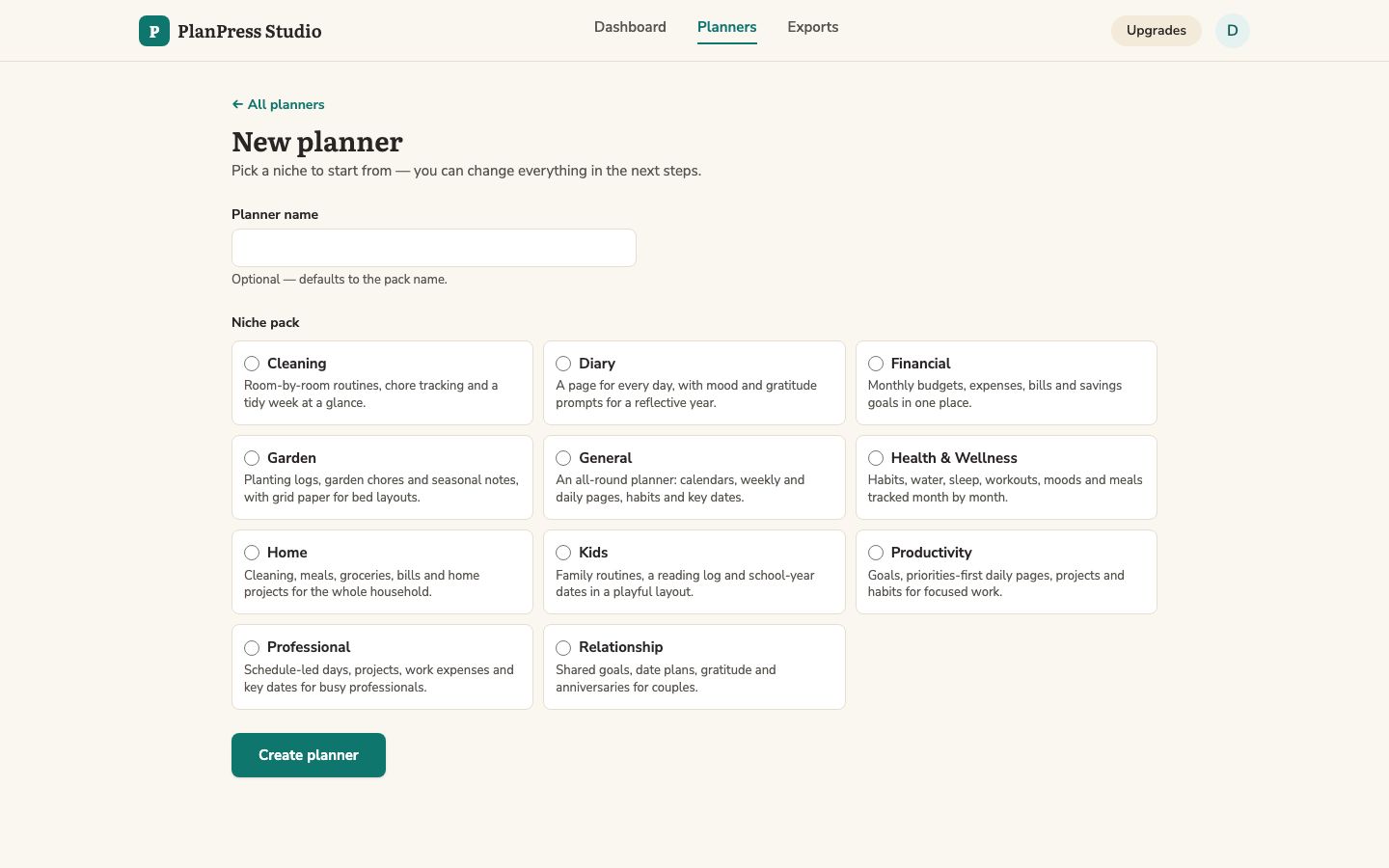
Choosing a niche pack when creating a new planner

Start from a niche pack

3 packs included (General, Health & Wellness, Productivity), each with its own sections, icons, palette and cover. 6 colour palettes and 2 font pairings.

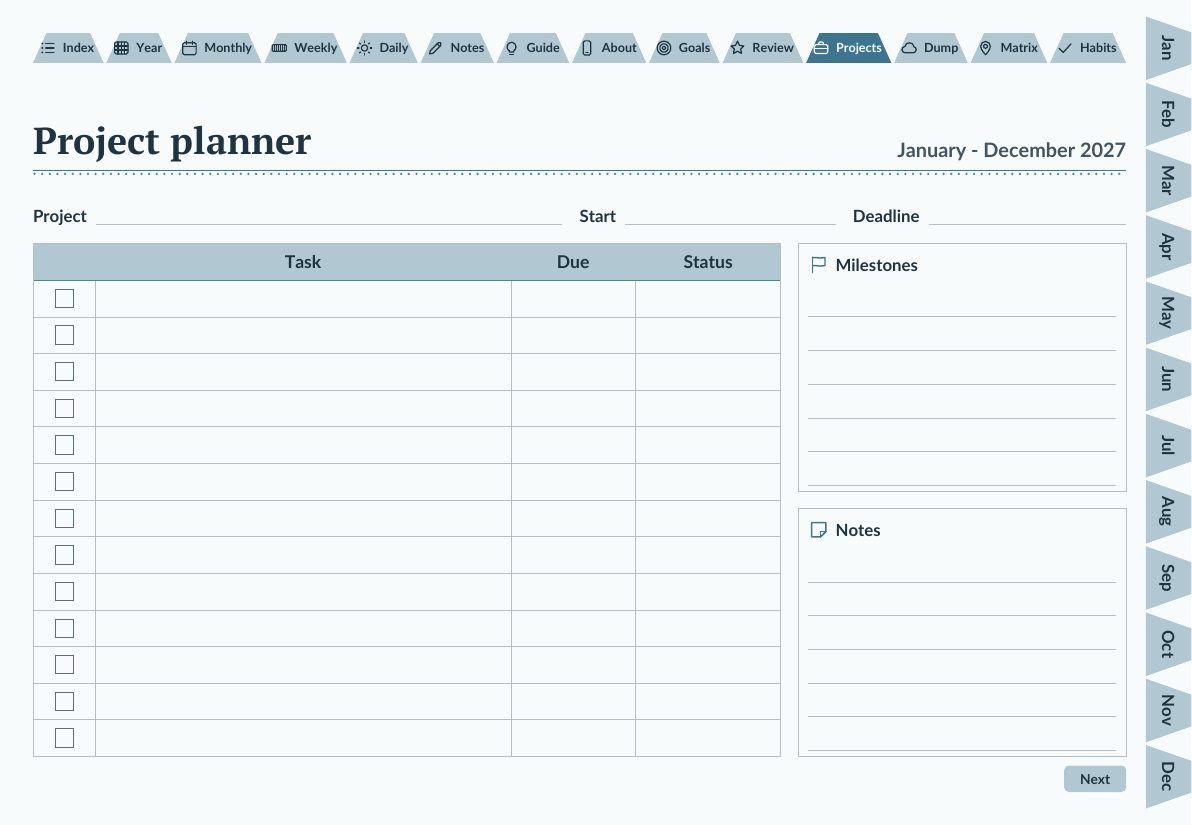
Project planner page from the Productivity niche pack

Every core section + 39 trackers

Year, goals, monthly calendar and review, weekly spread, daily page, notes — plus trackers and logs such as projects and habits.

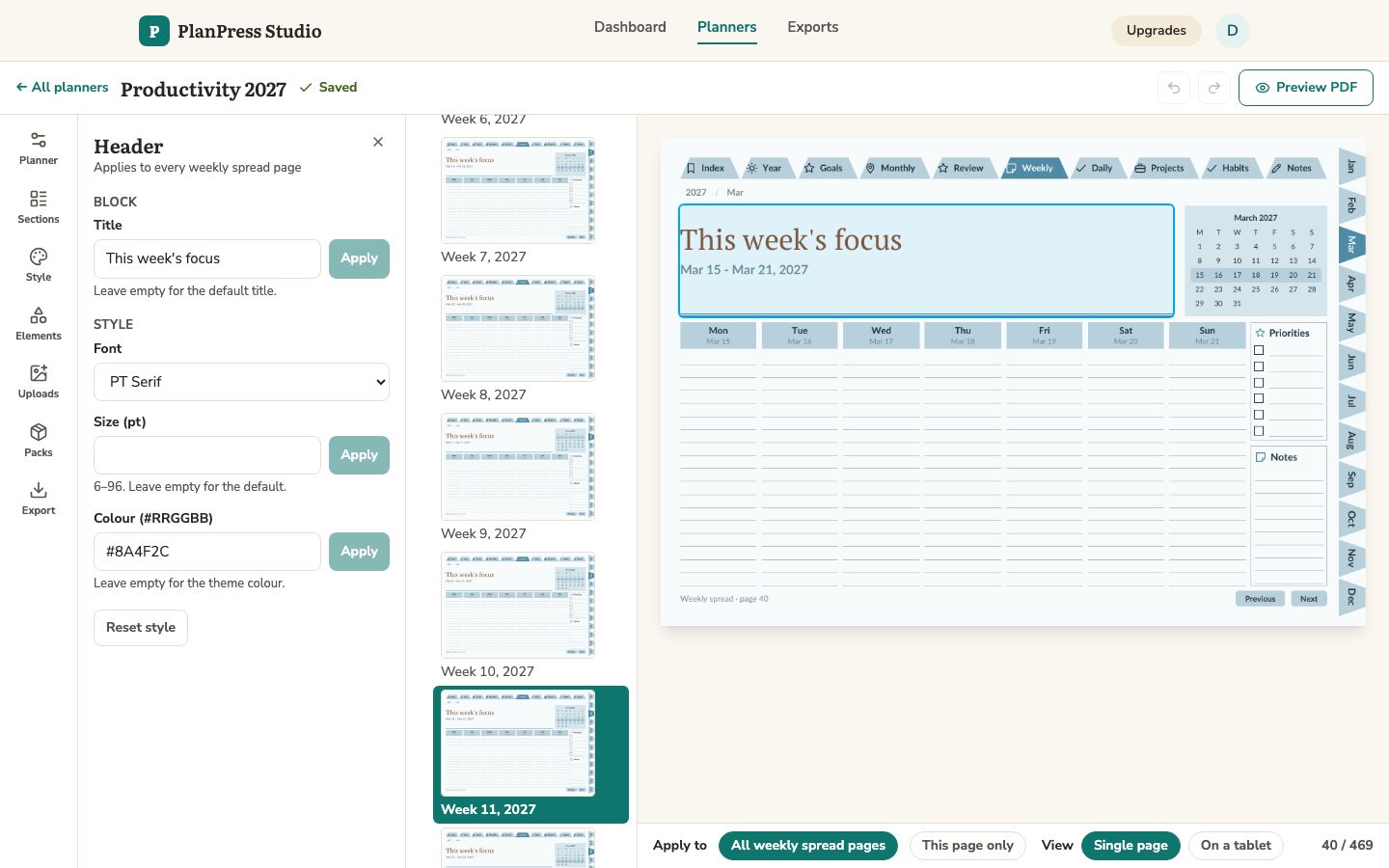
Editing the header of every weekly page at once

Edit once, every page follows

Click a block, change its title, font or colour, and choose: every page of that kind, or this page only.

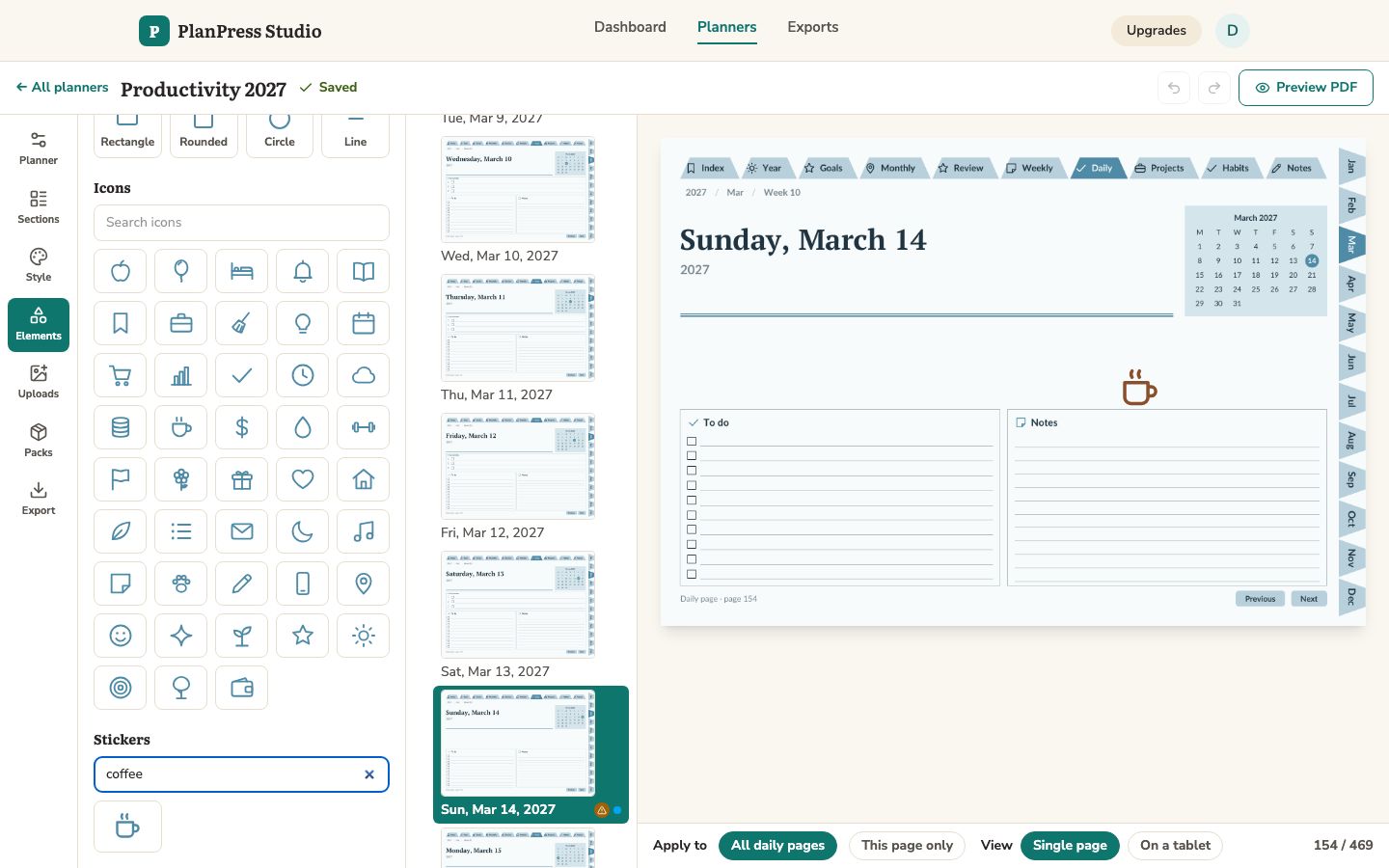
Adding a coffee mug sticker to a daily page

Decorate freely, links stay clickable

Text, shapes, 24 stickers and your own images. The tabs and calendar links are locked, so nothing you add can cover them.

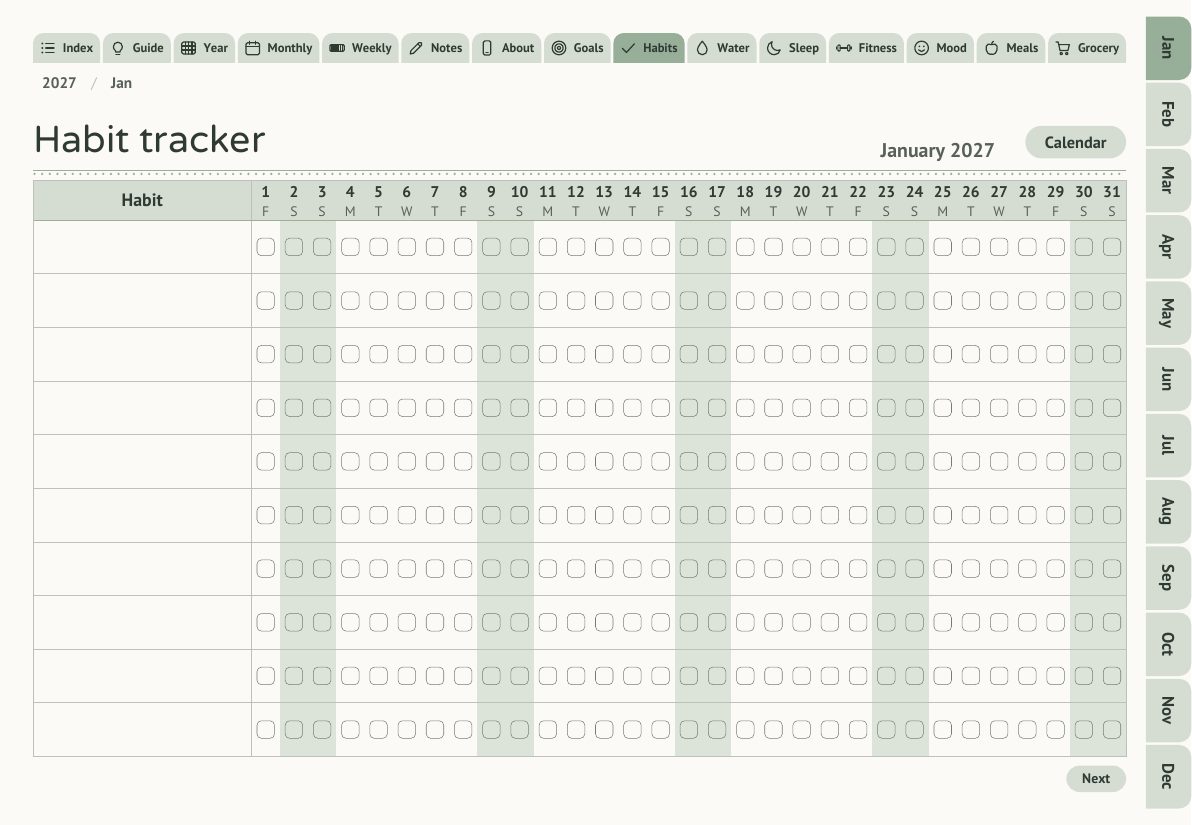
Habit tracker page from the Health and Wellness niche pack

Dated or undated, your calendar

Any start month, 1–24 months, weeks starting Monday or Sunday — or undated pages that work any year.

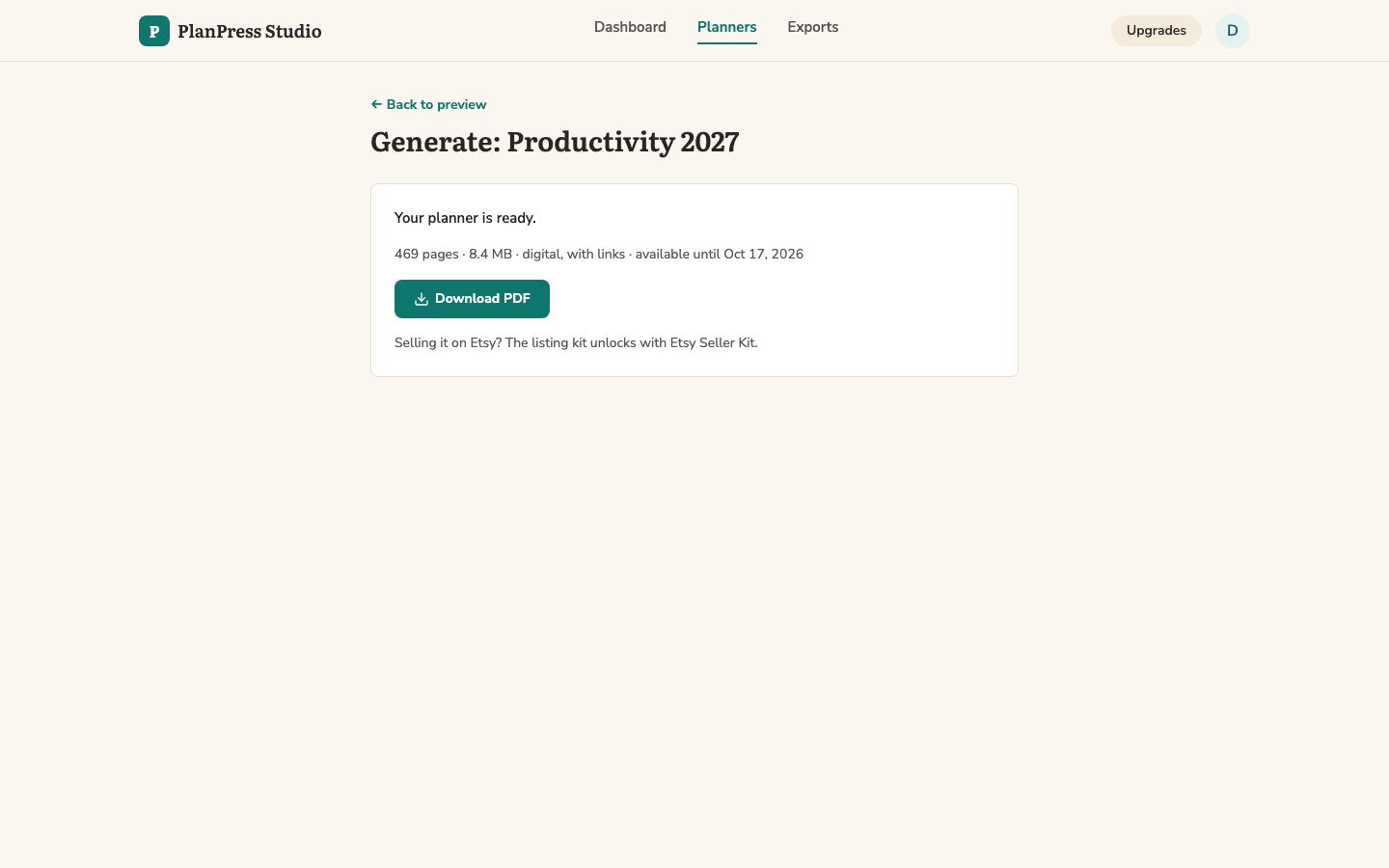
A finished planner ready to download

Preview, generate, download

Preview representative pages with working links, then generate the full PDF in the background and download it.

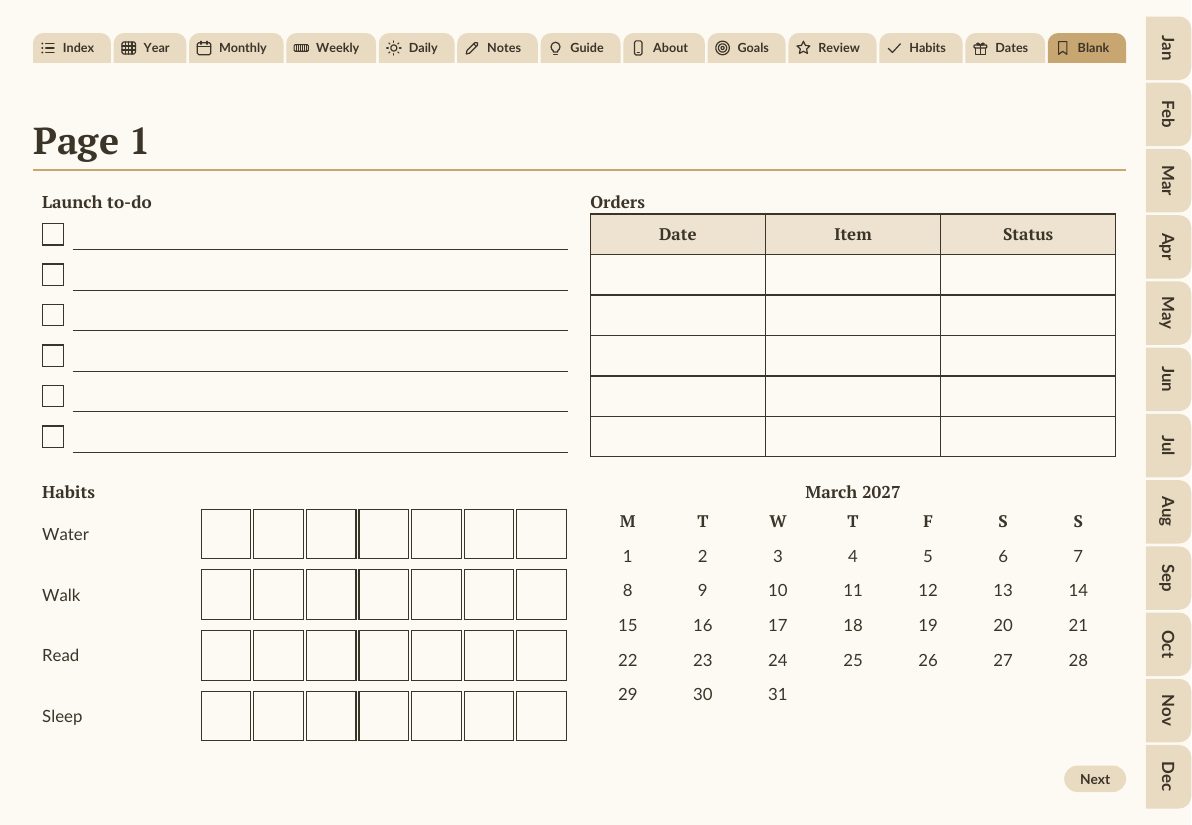
A Blank page of a generated planner with a checklist, a table, habit rows and a March 2027 mini calendar added in the editor

Drag in widgets — on any page or on Blank pages

Drag in checklists, tables, habit rows and mini calendars. The 6 widgets — checklist, lined box, table, dot grid, mini month and habit rows — drop into the free space of any page, or onto Blank pages you add as a section. Change rows, columns, titles and colours after you drop one; the generated PDF draws it the same way.

How it compares

Linking by hand in slidesHiring a designerGeneric AI image toolPlanPress Studio
Working links on every pageHours per plannerQuoted per plannerImages only, no linksGenerated and checked
KDP paperback interiorRebuild at a new sizeA second jobNoSame spec, one switch
A new niche or yearStart againAnother quoteNew prompts, no structureDuplicate, change the pack or start year — edits come along
Your own design choicesYes, slowlyTheirs, on your briefHard to repeatPack, sections, style and canvas edits

Is it for you?

Made for you if

  • You sell, or want to sell, digital planners or planner paperbacks
  • You want your own designs rather than resold templates
  • You would rather choose sections and styles than place links

Skip it if

  • You want finished planners to resell without any design choices of your own
  • You need book covers — it makes interiors and planner cover pages, not KDP cover wraps
  • You expect it to bring buyers to your shop — it makes files, not traffic

Included: 3 planner seller guides

Etsy Listing Checklist for Planner Sellers

Title, tag and file checks to run before you publish a planner listing.

KDP Interior Upload Checklist

Trim sizes, page-count limits and margins KDP checks on a paperback interior.

Niche Pack Picker

Which niche pack fits which buyer, with the sections each pack starts from.

Every license includes them — download from the Bonuses page inside the app. The numbers in them are read from the same rules the app checks.

Your desk, before and after

Before

A slide deck per planner, links placed one by one, a separate file for print, and the whole job again for the next niche or year.

After

One spec per planner. Change the start year, the pack or the format and generate again; the links and the print margins come with it.

Illustration: a stack of plain paperback notebooks
Illustration

See it working

Real screenshots of the app and real pages from generated files — nothing mocked up.

Pick a niche pack
Pick a niche pack.
Edit the weekly header for all weekly pages
Edit once — every weekly page follows.
Sticker added to one daily page
Decorate freely. Links stay clickable. Change one page. Undo anything.
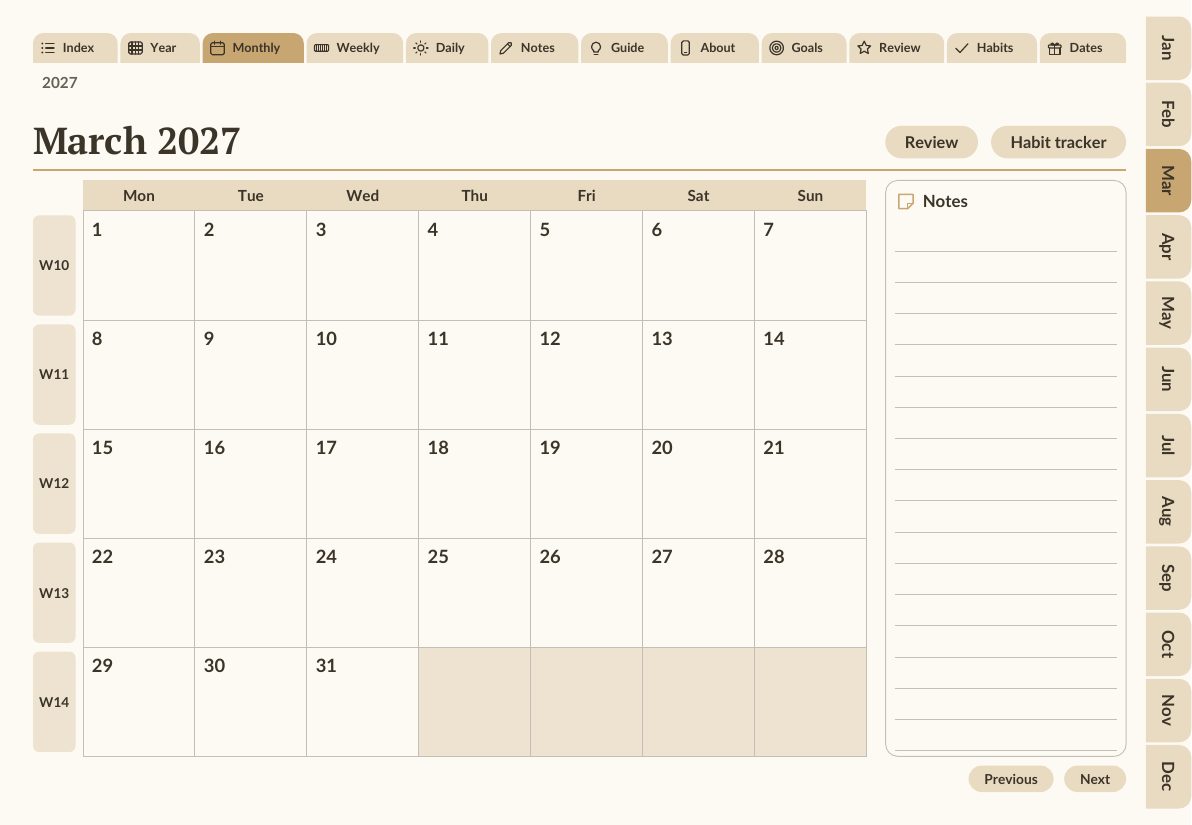
March 2027 monthly calendar page with clickable day cells and side tabs
Every tab and date is a working link.
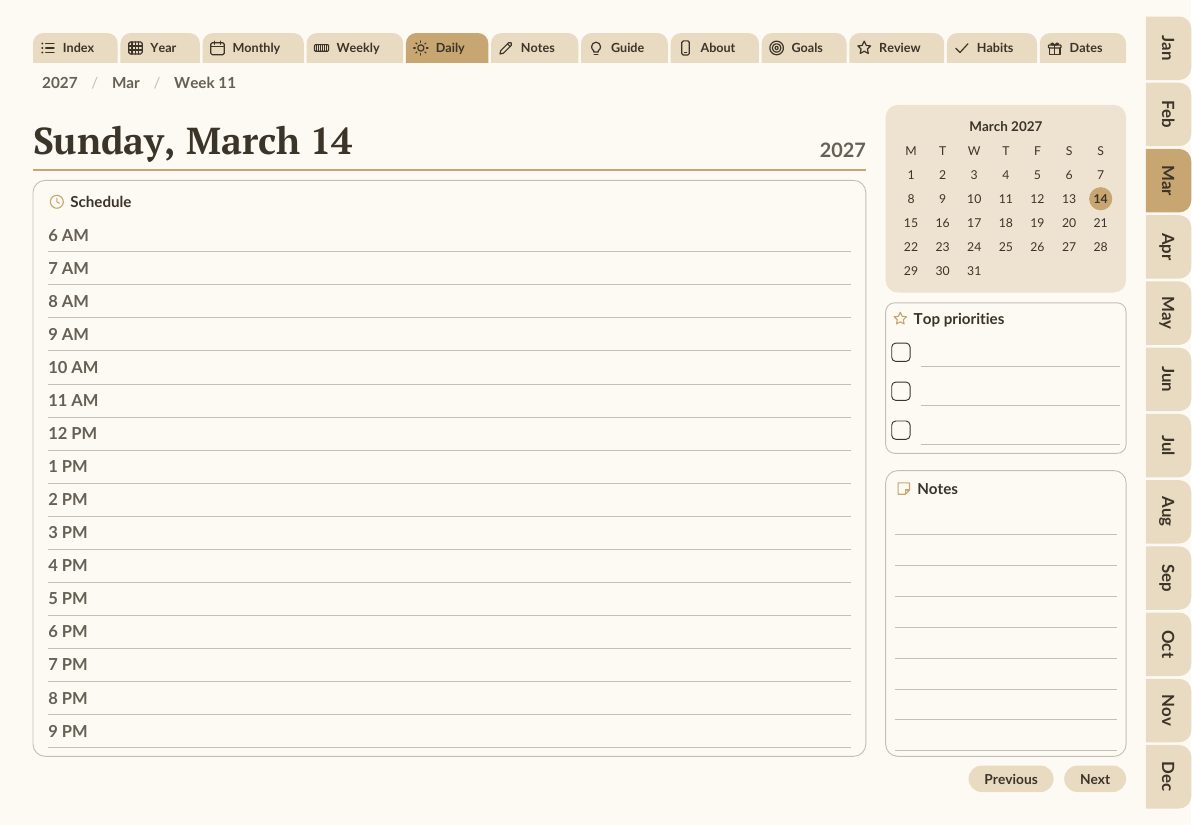
Daily page for Sunday, March 14, 2027
A daily page from the generated PDF.
Two-page spread of a KDP interior in the editor
Same spec, KDP-ready interior.
Screen recording of the app — real clicks, real files. AI voice-over describes each step; captions are on screen.

Questions

Do I need design skills?

No. Start from a niche pack and change what you want: sections, colours, fonts, titles, stickers and images. Layout, links and print margins are handled by the engine.

Which apps open the planners?

The digital planner is a standard PDF with internal links. Use a PDF reader or note-taking app that follows links inside a PDF; test your app with the preview before you sell.

Can I sell what I make?

Yes — the seller license covers the planner PDFs you generate with your own account. It does not let you resell the app itself or your access to it.

Do I need an upgrade to use it?

No. The front end makes complete planners on its own: niche packs, the live canvas, digital and KDP generation. Upgrades are optional and each adds its own features.

Is it a subscription?

No. PlanPress Studio is a one-time payment of $17 at checkout. The upgrades are one-time and optional.

Do I install anything?

No. You get an account and use it in your browser. Generated files are kept for 14 days for download — save your copies.

Does it make KDP covers?

No. It makes the interior PDF (and a cover page inside digital planners). Make your paperback cover wrap separately.

How many planners can I make?

There is no per-planner fee. Your account generates one planner at a time; start the next when it finishes.

What if it is not for me?

Ask for a refund through WarriorPlus within 30 days of purchase. See the refund policy.

30-day money-back guarantee

Try it on your own niche

Build a planner, preview it, generate it. If it does not do what this page says, request a refund through WarriorPlus within 30 days of purchase for any reason.

What you get today

Every core section + 39 trackers and logs
3 niche packs, 6 color palettes, 2 font pairings
Hyperlinked digital planner + KDP-ready interior from one spec
Seller license for the planners you generate
Live canvas editor: page and section edits, 24 stickers, 6 drag-in widgets, Blank pages, your own images, undo and redo
3 planner seller guides
Today: $27 $17 one-time

Get PlanPress Studio — $17 · checkout opens at launch

The whole funnel, stated plainly

PlanPress Studio is one purchase. After checkout you are offered three optional upgrades, once each. Every upgrade unlocks its own features — buying one does not include another, and none is needed to use the app.

Front end · this page

PlanPress Studio

$27 $17 one-time

  • Every core section + 39 trackers and logs
  • 3 niche packs, 6 color palettes, 2 font pairings
  • Hyperlinked digital planner + KDP-ready interior from one spec
  • Seller license for the planners you generate

Upgrade 1

Niche Pack Vault

$37 one-time

  • All 11 niche packs
  • All 12 color palettes and 3 font pairings

Upgrade 2

Etsy Seller Kit

$37 one-time

  • Etsy bundle kit: device mockups, listing copy, license, ZIP
  • Batch generate up to 8 variants at once (years, dated/undated, sizes)

Upgrade 3

Reseller License

$67 one-time

  • Reseller license + ready-to-install package
  • White-label branding for your own storefront

P.S. The launch price is $17; the regular price is $27.

P.P.S. The risk is ours: 30 days to ask for your money back, for any reason.

P.P.P.S. The 3 seller guides come with every license.

Get PlanPress Studio — $17 · checkout opens at launch